
Table of Contents
As the cryptocurrency market continues to evolve, keeping your digital money safe is crucial. Recent report published by Certik highlights that a total of $502,522,934 was lost across 223 onchain security incidents in Q1 2024.
In this article, we are going to explore how you can Secure Your Crypto with Snaps by Metamask, Essential Steps to Prevent Loss of Funds
Let’s understand the risk
Why you need to be careful with crypto transactions:
The Certik report indicates that common types of hacks include phishing links, code vulnerabilities, access control issues, flash loan attacks, and compromised private keys, so you need to be careful with this. When you make transactions with cryptocurrencies, like swapping tokens, claiming rewards, or creating (minting) new tokens there are risks. If you make a mistake, you could lose your money permanently. Also, scammers often try to trick people into making unsafe transactions and using phishing links.
How Wallet Guard (Snaps by Metamask) helps:
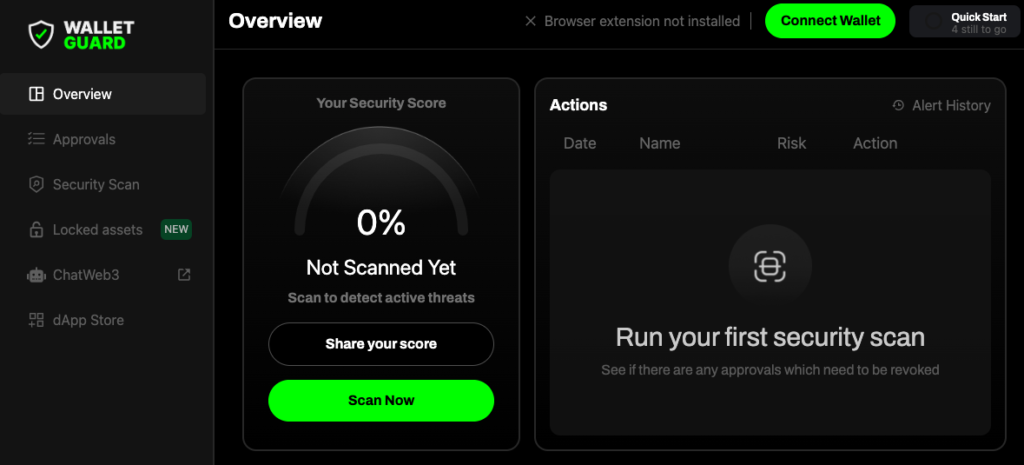
Wallet Guard introduces easy-to-use tools that help you check your transactions before you make them, keep your wallet secure, and scan for security risks.
- Transaction Simulation: Before you finalise a transaction, Wallet Guard lets you test it out first. This means you can see what will happen in a transaction without actually doing it for real. This helps you be sure everything looks right before you go ahead.
- Automated Approval Revoking Reminders: Sometimes, to make transactions, you give permissions to apps or contracts to use your wallet. Over time, you might forget about these permissions, but they can make your wallet vulnerable. Wallet Guard reminds you to check and remove these permissions if you don’t need them anymore.
- Security scan: Wallet Guard scans your wallet for any security risks, helping you identify potential vulnerabilities before they can be exploited. This proactive scanning ensures that your wallet remains secure against emerging threats.
Benefits of Using Wallet Guard to secure your crypto:
- More Confidence: Test your transactions before you make them, so you know that it is secure or scam transaction
- Less Risk: Regular reminders to remove old permissions and security scans keep your wallet safer
- Easy to Use: Wallet Guard is made to be simple, so anyone can use it to keep their crypto safe.
Follow these simple steps to add Wallet Guard to your Meta Mask wallet:
- Update the Meta Mask browser if it is not updated. Check this guide to update the Meta Mask wallet.
- Go to Meta Mask snaps
- Add Wallet Guard in Meta Mask
- Connect with wallet guard Dashboard
- Install Wallet Guard in your browser
For anyone using cryptocurrencies, taking these precautions is important. With Wallet Guard, you can handle your digital token wisely and safely.
This article is for educational purposes. Always do your own research before taking any investment decisions.
Also check this out, Crate – The premier music trading platform on Base Blockchain
Visit Cointopper for more articles like this!
Disclaimer: At CoinTopper, we like to cover interesting products and share them with our community. This article is for educational purposes only and is not sponsored or endorsed by the project team.